Draft it fast.Send it once.Let the books run themselves.
HeyBen turns every invoice into a clean ledger entry. AR updates, revenue posts, and the payment match waits patiently — all before you finish your coffee.
Why HeyBen invoicing
Every invoice ends where it should — in your books.
Invoices that look like you.
Build branded invoices right inside HeyBen. Upload your logo, set your colors, customize line items and payment terms in minutes — then save it as your default template.
Auto-flows into revenue recognition.
Every approved invoice feeds straight into your revenue recognition workflow. Accrual entries and deferred revenue schedules post themselves — no month-end scramble.
Native to your general ledger.
Invoicing lives on the same platform as your GL, bank reconciliation and reporting. No sync delays. No integration failures. One system, one source of truth.
How it works
Build, send, collect — three moves, zero friction.
- 01
Start with a clean sheet.
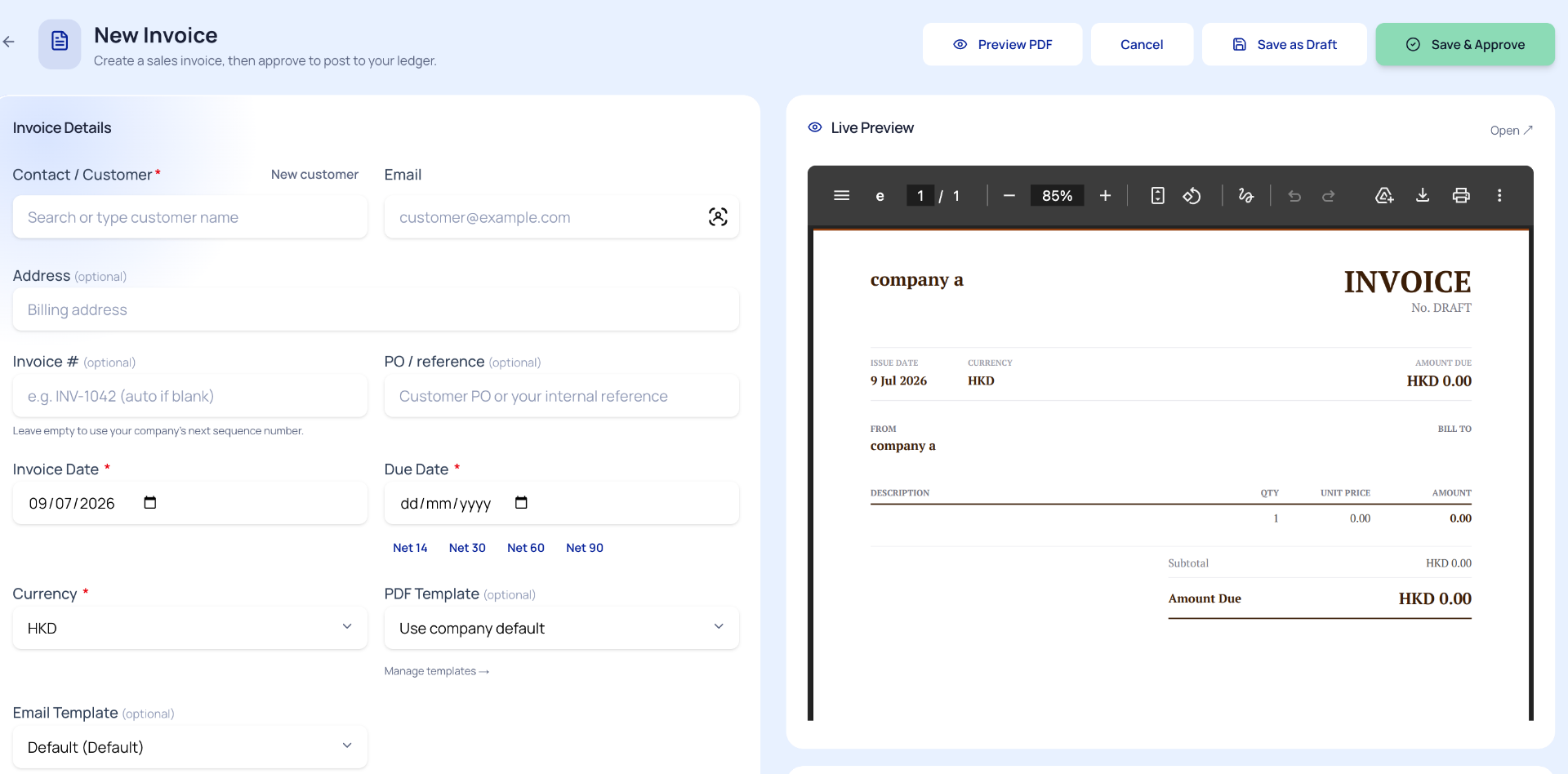
Choose a client, drop in your services, set payment terms and currency, then make it yours with logos and colours. The PDF preview refreshes with every keystroke.
Live CanvasServices · Terms · Currency · Branding · Real-time preview — one screen, zero switching. - 02
Fire it off. Watch it land.
Dispatch the invoice from inside HeyBen. See exactly when it lands, when it gets opened, and when the money moves — no more hunting through chat threads for answers.
Signal ChainDelivered → Read → Paid → Reconciled → Closed. - 03
The ledger wakes up.
Funds arrive in HSBC, Hang Seng, DBS, Airwallex or Stripe. HeyBen pairs the deposit to the invoice, writes off AR, books the revenue, and leaves your GL tidy for month-end.
Self-Balancing EntryAR cleared · Revenue booked · Bank matched · Month-end ready.
Payments & Automation
Set the rhythm. Collect on cue. Leave no loose ends.
Subscriptions that bill themselves.
Define a cadence — weekly, monthly, or bespoke — and HeyBen drafts, approves and dispatches each cycle on its own. Edit individual line items mid-flight without unravelling the sequence.
Gentle nudges, firm cashflow.
Polite reminders dispatch before and after deadlines. Your aging snapshot refreshes continuously. When cash hits the account, HeyBen pairs it to the right invoice and retires AR — no spreadsheet acrobatics required.
One link, any wallet.
Drop a Stripe or Airwallex checkout link onto every invoice. Your customer taps, pays by card or local bank transfer, and the receipt posts straight to your GL — invoice marked settled in the same breath.
FAQ
Answers, before you ask.
How do I create an invoice in Hong Kong with HeyBen?+
Open HeyBen, pick a customer, add line items, set the due date and currency, then hit Save & Approve. The PDF preview updates live and posts to your ledger the moment you approve.
Can I brand my invoices?+
Yes. Upload your logo, set your colors, pick a PDF template and save it as default — every future invoice inherits your brand.
Does the invoice post to my books automatically?+
Yes. Approved invoices post to AR and flow into revenue recognition. When payment arrives from HSBC, Hang Seng or Airwallex, HeyBen matches it and clears AR without manual journals.
Can my customers pay by Stripe or Airwallex?+
Yes. Add a Stripe or Airwallex payment link to any invoice. Customers pay by card or bank transfer in a few taps, and the payment posts to your general ledger automatically.
Does HeyBen support recurring invoices and AR automation?+
Yes. Set a schedule and HeyBen generates, sends and tracks each invoice automatically. Payment reminders fire before and after due dates. When payment arrives, AR clears itself — no manual follow-up.
Which currencies can I invoice in?+
HKD, USD, CNY, GBP, EUR and more. Each invoice can use a different currency and HeyBen tracks the FX gain/loss for you.
Time to stop typing the same invoice twice?
One platform. From first draft to final close. No handoffs, no copy-paste.