Bring everything with you.
Xero exports. Decade-old Excel sheets. A folder of CSVs from your last bookkeeper. HeyBen's AI Bridge reads any column layout, maps it to HeyBen, and asks you to confirm before anything lands.
Start from wherever you are.
Pick a source, drop in the file, and HeyBen handles the column gymnastics for you.
HeyBen CSV
Official template — best when you're starting from a clean export.
Xero — native OAuth
Connect your Xero org and pull Accounts, Contacts, Invoices, Bank Transactions straight into HeyBen. No CSV export needed.
Any CSV via AI Bridge
Legacy bookkeeping system, old POS report, custom Excel — AI proposes the column mapping, you confirm, it imports.
QuickBooks
Import from QuickBooks Desktop or Online exports.
Sage 50 / Business Cloud
Import from Sage 50 or Sage Business Cloud exports.
Legacy Excel workbooks
Save as CSV, drop it into AI Bridge — even if the column names are 中英夾雜.
Connect Xero. Import into HeyBen in one click.
Skip the CSV dance. OAuth into your Xero org and let HeyBen sync the ledger directly — entities, invoices, payments and bank transactions land in the correct dependency order.
- 01
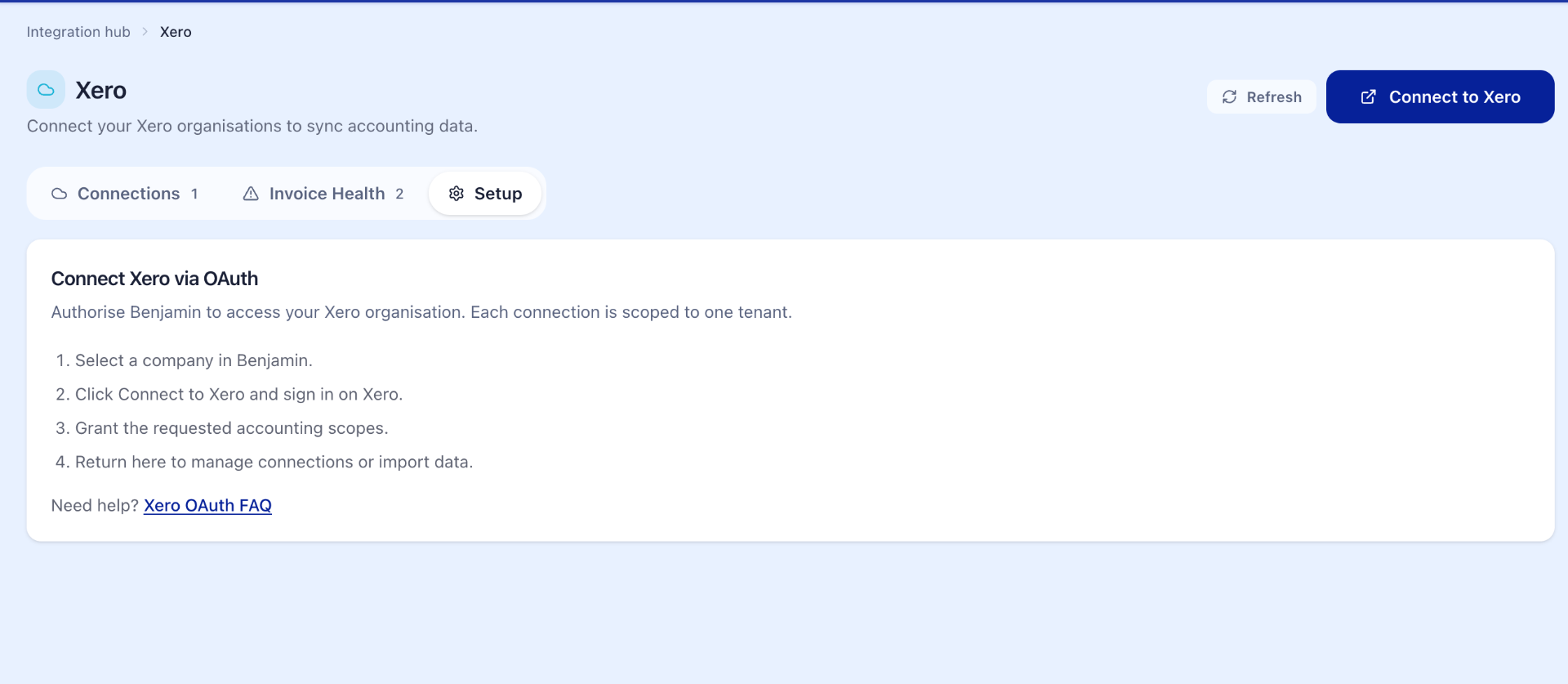
Click Connect to Xero
From the Integration Hub, authorise HeyBen against your Xero organisation. Each connection is scoped to one tenant — multi-entity groups can link several.
- 02
Sync records from Xero
HeyBen pulls Accounts, Tax Rates, Contacts, Tracking Categories, Items, Bank Accounts, Invoices, Credit Notes, Payments, Bank Transactions, Manual Journals and Purchase Orders.
- 03
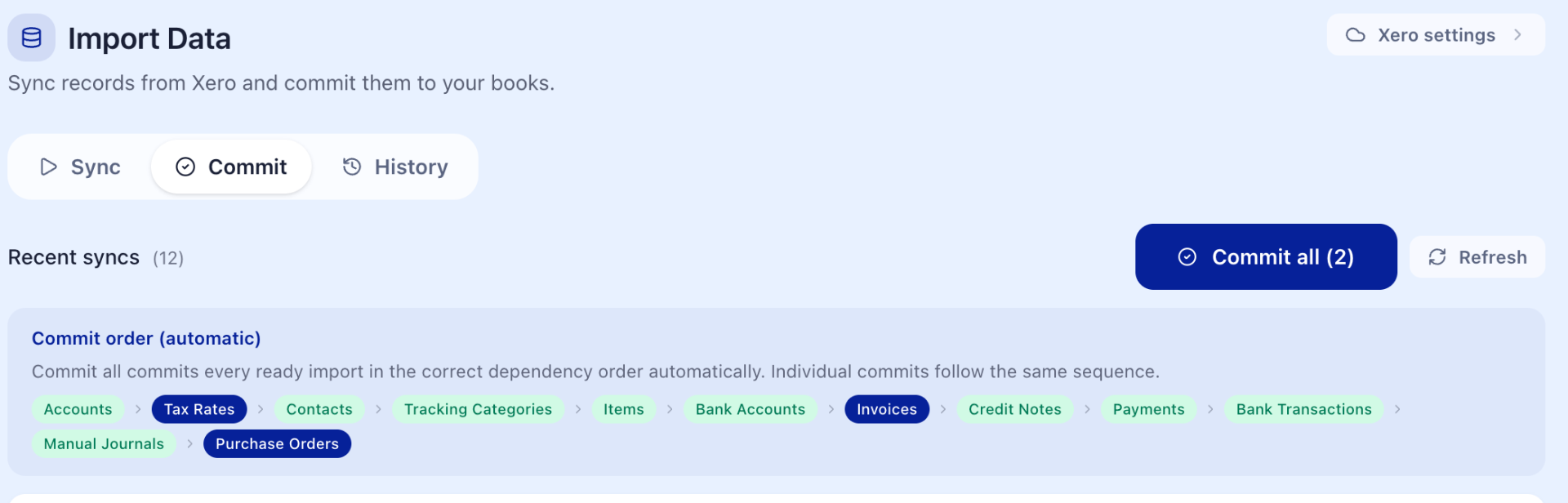
Commit in dependency order
Review each batch, then Commit all — HeyBen writes records in the correct order (Accounts → Tax → Contacts → Items → Invoices → Payments) so nothing breaks.
Any CSV. Mapped in seconds.
Upload the file as-is. AI Bridge reads the headers and the first rows, proposes how each column maps to HeyBen, and shows it back to you for a one-click confirm. Nothing is imported until you say yes.
- Handles English, 繁體中文, 简体中文 and 中英夾雜 column names
- Detects date formats — DD/MM/YYYY, YYYY年M月D日, Excel serials
- Flags duplicates, blanks and amount sign issues before import
- 0.1 credit per file — no per-row charge
Looks right? Confirm to import. Anything off? Drag the field to remap.
From export to live in four steps.
Most teams finish the first import on the same call. No data engineer required.
- 01
Connect Xero — or export a CSV
On Xero? OAuth straight in, no export needed. Otherwise, get a CSV out of QuickBooks, Sage, or homemade Excel — any format works.
- 02
Drop the file into AI Bridge
Open Upload CSV, pick Bridge, and drop the file. AI reads the headers and the first rows on the spot.
- 03
Confirm the mapping
Review the proposed column mapping side-by-side. Remap anything you don't like — nothing imports until you confirm.
- 04
Reconcile and you're live
HeyBen flags duplicates and gaps against your bank feed. Once it's clean, you're running on HeyBen.
We read Hong Kong books.
Half the SMEs we onboard still run on Excel, a desktop system from the 2010s, or a mix of both. AI Bridge is built around that reality — not against it.
- Legacy DOS / Windows accounting exports — drop the CSV in, AI infers the schema.
- Multi-currency ledgers with HKD, USD, RMB columns — currencies kept separate, FX flagged.
- Bilingual / 中英夾雜 column names — common in family-run books for two generations.
- WhatsApp invoice screenshots already in HeyBen — your CSV history slots in beside them.
Migration questions.
What if the AI mapping is wrong?
Drag any field to remap it before confirming. Nothing imports until you click Confirm. You can also re-run the same file with corrections — the previous attempt is discarded.
Can you help with a complex migration?
Yes. For multi-entity or multi-year migrations, book a call and our team will plan the cut-over with you — usually one working week end-to-end.
Do I need to keep my old system running?
Keep it read-only as an archive for a quarter. After reconciliation passes, most teams shut the old system down with confidence.
Bring your books over this week.
Book a 20-minute migration call. Bring one export file — we'll do the first import live and you'll see exactly how AI Bridge handles your data.